VuePress Front Matter
Vuepress Front Matter
博客文章
Front Matter
博客文章會在首頁顯示。所有博客文章都需要在 front matter 里加上 layout: Post。
博客文章的 front matter 的格式為:
---
layout: Post  # 必須
title: 時間簡史  # 博客標題(必須)
subtitle: 從大爆炸到黑洞  # 博客副標題(可選)
date: 2020-03-31  # 博客發表日期(可選)
author: 斯蒂芬·霍金  # 博客作者(可選,不填的話會使用 `themeConfig.personalInfo.name`)
useHeaderImage: true  # 是否在博客中顯示封面圖(可選,默認:false)
headerImage: /img/test.jpg  # 博客封面圖(必須,即使上一項選了 false,因為圖片也需要在首頁顯示)
headerMask: rgba(40, 57, 101, .4)  # 封面圖遮罩(可選)
headerImageCredit: Jeremy Fenske  # 圖片來源,比如圖片作者的名字(可選,只在 "useHeaderImage: true" 時有效)
headerImageCreditLink: https://www.artstation.com/artwork/nLY0K  # 圖片來源的鏈接(可選,只在 "useHeaderImage: true" 時有效)
catalog: true  # 啓用/禁用當前頁的右側目錄,會覆寫 `themeConfig.catalog`(可選,默認:true)
giscus: false  # 啓用/禁用當前頁的 Giscus 評論(可選,默認:true)
hide: true  # 是否在首頁和標籤頁博客列表中隱藏這篇博客(可選,默認:false)
tags:  # 博客標籤(可選)
  - 宇宙
  - 物理
---
注意
title 會作為一級標題在博客中顯示,所以不需要在博客正文中寫一級標題。
提示
front-matter 中有 tags 項的博客會在標籤頁顯示。
URL
如果你希望博客文章的 URL 格式為 /post/year/month/day/post-title/,請在 front matter 里添加 permalinkPattern 項:
---
layout: Post
title: A Brief History of Time
date: 2020-03-31
permalinkPattern: /post/:year/:month/:day/:slug/
---
更多細節請參考這裡。
注意
如果配置了這個 permalinkPattern,就必須通過博客文章的 front matter 或文件名/目錄名指定 date(博客發表日期)。具體細節請參考這裡。
摘要
文章中 <!-- more --> 以上部分會被當作摘要,摘要會在首頁文章流中顯示。
文檔文章
同時本主題也保留了 VuePress 的文檔功能,基本的使用方法及側邊欄配置方法請參考 VuePress 文檔。
文檔文章的 front-matter 格式為:
---
title: 時間簡史  # 文檔標題(必須)
date: 2020-03-31  # 文檔日期,會顯示在文章頭部(可選)
author: 斯蒂芬·霍金  # 文檔作者(可選,不填的話會使用 `themeConfig.personalInfo.name`)
giscus: false  # 啓用/禁用當前頁的 Giscus 評論(可選,默認:true)
---
注意
同樣,title 會作為一級標題在文檔中顯示,所以也不需要在文檔正文中寫一級標題。
Markdown 語法
請參考:
容器
鏈接卡片容器
本主題新增了鏈接卡片容器。
語法
::: link {Icon Name | Image URL} [title](url)
description
:::
示例:

::: link [介紹](/zh/docs/basic/intro.html)
vuepress-theme-gungnir Introduction
:::

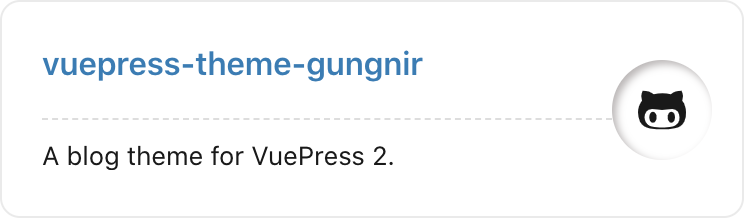
::: link {fa-github-alt} [vuepress-theme-gungnir](https://github.com/Renovamen/vuepress-theme-gungnir)
A blog theme for VuePress 2.
:::

::: link {/img/logo.png} [My Blog](https://blog.zxh.io)
My blog 🧐, powered by VuePress 2, themed by Gungnir.
:::
配置
如果你不需要再鏈接卡片中顯示域名:
// .vuepress/config.js

module.exports = {
  theme: gungnirTheme({
    themePlugins: {
      container: {
        link: {
          siteDomain: false  // 可選,默認:"true"
        }
      }
    }
  })
}
或者想要關閉該功能:
// .vuepress/config.js

module.exports = {
  theme: gungnirTheme({
    themePlugins: {
      container: {
        link: false  // 可選,默認:"true"
      }
    }
  })
}
其他容器
這裡展示一下本主題默認支持的容器用法:
信息
This is an info message.
提示
This is a tip message.
注意
This is a warning message.
警告
This is a dangerous warning message.
Show me the code.
cout << "Hello World!" << "\n";
- 博客文章
- Front Matter
- URL
- 摘要
- 文檔文章
- Markdown 語法
- 容器
- 鏈接卡片容器
- 語法
- 配置
- 其他容器